Tool
Intelligent Component
A Grasshopper tool for editing, organising, and live-reloading shared custom C# code and classes in VS Code.
Overview
Intelligent Component is a Rhino 8 Grasshopper extension that enables a structured C# development workflow using VS Code.
Instead of writing code directly inside Grasshopper components, Intelligent Component allows developers to create reusable projects, organize shared classes, manage external libraries, and live-reload updates directly into the Grasshopper canvas.
The tool is designed for computational designers, technical artists, and development teams who want a cleaner and more scalable scripting workflow inside Grasshopper.
Features
- VS Code integration for component development
- Live synchronization between source files and Grasshopper components
- Shared reusable classes across multiple components
- Organized project structure with Components, Shared, and lib folders
- External DLL library support
- Reusable team-wide component architecture
- Faster iteration and debugging workflows
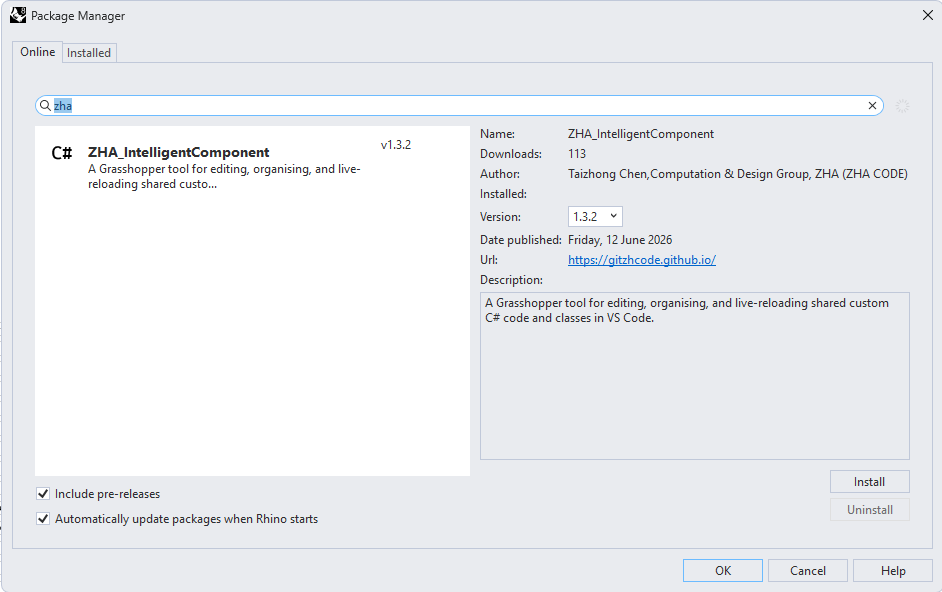
Installation
- Open Rhino 8
- Go to Package Manager
- Search for Intelligent Component
- Click Install
The component will appear under:
Math → Script
Creating a Project
- Drop the Intelligent Component component onto the Grasshopper canvas
- Right-click the component
- Select Create Example Project
- Choose a target folder
Intelligent Component will automatically generate a project structure:
MyGHProject/
├── Components/
├── Shared/
├── lib/
├── MyGHProject.csproj
Working in VS Code
Right-click the component and choose:
Open in VS Code
The generated project includes:
- Example components
- Shared utility classes
- Project references
- Live component synchronization
Saving files in VS Code automatically updates all related Grasshopper components.
Shared Components
Components with the same name can reference the same .cs source file.
This enables:
- Reusable logic
- Shared workflows
- Cleaner project organization
- Team-wide component libraries
Multiple Grasshopper components can point to the same implementation without duplicating code.
Custom Libraries
External DLL libraries can be added through the /lib folder.
Steps
- Copy DLL files into
/lib - Edit the
.csprojfile - Add library references
- Use them inside components or shared classes
This makes it easy to integrate custom SDKs, geometry libraries, and internal tooling.
Notes
- Grasshopper components update automatically when files are saved in VS Code.
- Canvas components are intentionally not editable like regular C# components to avoid synchronization conflicts.
- The workflow is designed around a single source of truth: the VS Code project.
Future Direction
Intelligent Component is designed to support larger collaborative workflows.
Future workflows include:
- Centralized reusable component libraries
- Shared company-wide utilities
- Live updates across projects
- Modular project-specific component systems
Ideal For
- Computational design teams
- Rhino and Grasshopper developers
- Technical artists
- Architecture and engineering studios
- Design technology workflows